Most salon and clinic owners running Google Ads assume the platform automatically figures out what matters to their business. It does not. Without defining a Google Ads conversion action, you are essentially paying for traffic with no way to know which ads are actually filling your appointment book. A conversion action is a specific customer action you define as valuable, like a booking form submission or a phone call, and Google reports each occurrence as a conversion. Get this right, and your campaigns become measurable, improvable machines. Get it wrong, and you are optimizing toward nothing.
Table of Contents
- What is a Google Ads conversion action and why does it matter?
- Common types of Google Ads conversion actions for salons and aesthetic clinics
- Setting primary vs secondary conversion actions and counting options
- Implementing and organizing conversion actions for your salon’s Google Ads campaigns
- Common pitfalls and expert tips for optimizing conversion tracking in salons
- Why most Google Ads tracking advice misses the mark for salons and clinics
- How Growth Reach Marketing helps salons master Google Ads conversion tracking
- Frequently asked questions
Key Takeaways
| Point | Details |
|---|---|
| Define clear conversions | Identify specific customer actions like booking forms or calls as your conversion goals to track ad performance accurately. |
| Primary vs secondary | Set true business outcomes as primary conversions used for bidding and others as secondary for measurement only. |
| Choose counting wisely | Use ‘one conversion’ for unique leads and ‘every conversion’ for multiple sales to reflect your business model. |
| Correct tag placement | Ensure your website’s conversion tags are properly implemented to avoid inaccurate reporting. |
| Avoid signal dilution | Limit primary conversion actions to key outcomes to help Google optimize ads effectively for real bookings. |
What is a Google Ads conversion action and why does it matter?
A conversion action is the foundation of Google Ads conversion tracking explained in its simplest form: you tell Google what a “win” looks like for your business, and Google tracks every time that win happens. Without this definition, Google has no idea whether your ads are generating real leads or just burning budget on curious browsers.
For salons and aesthetic clinics, a conversion is rarely a purchase in the traditional sense. Your customers book consultations, fill out inquiry forms, call to ask about pricing, or sign up for a promotion. Each of these is a distinct, trackable event. Google Ads conversion actions span multiple sources, including website actions, phone calls, app downloads, and in-app actions, which means you have a lot of flexibility in what you define as meaningful.
Here is why this matters more than most guides acknowledge:
- Without conversion actions, Google’s Smart Bidding has nothing to optimize toward. It cannot push your budget toward the people most likely to book if it does not know what booking looks like.
- Click-through rates and impressions are vanity metrics for salons. What you actually need to know is how many people clicked your ad and then submitted a booking request or called your front desk.
- Choosing the right conversion actions directly shapes your return on ad spend. Track the wrong things, and Google will optimize toward the wrong audience.
“Defining what counts as a conversion is not a technical formality. It is the single decision that determines whether your Google Ads campaigns are actually working for your business.”
For deeper reading on Google Ads tracking strategies, the Growth Reach Marketing blog covers how salons can build campaigns around the metrics that matter.
Common types of Google Ads conversion actions for salons and aesthetic clinics
Understanding Google Ads performance starts with knowing which conversion types are available and which ones fit your customer journey. Not every action carries equal weight, and the path a new client takes from seeing your ad to sitting in your chair usually involves more than one touchpoint.
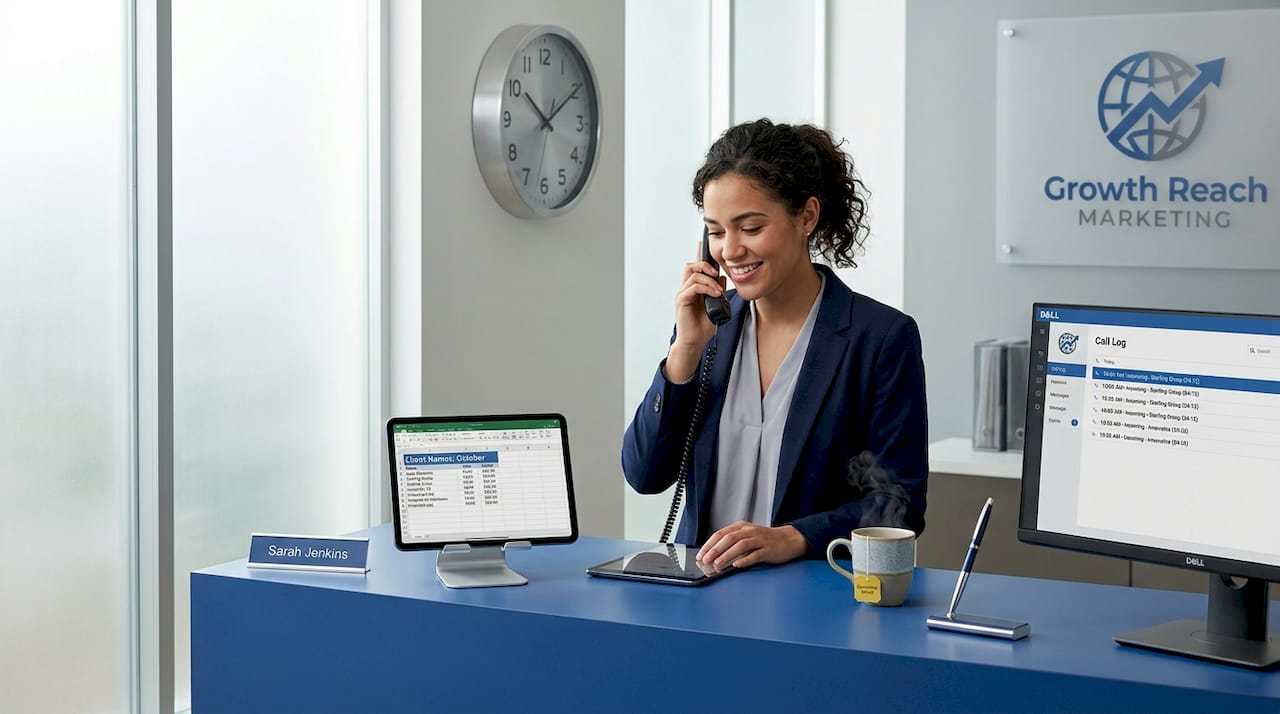
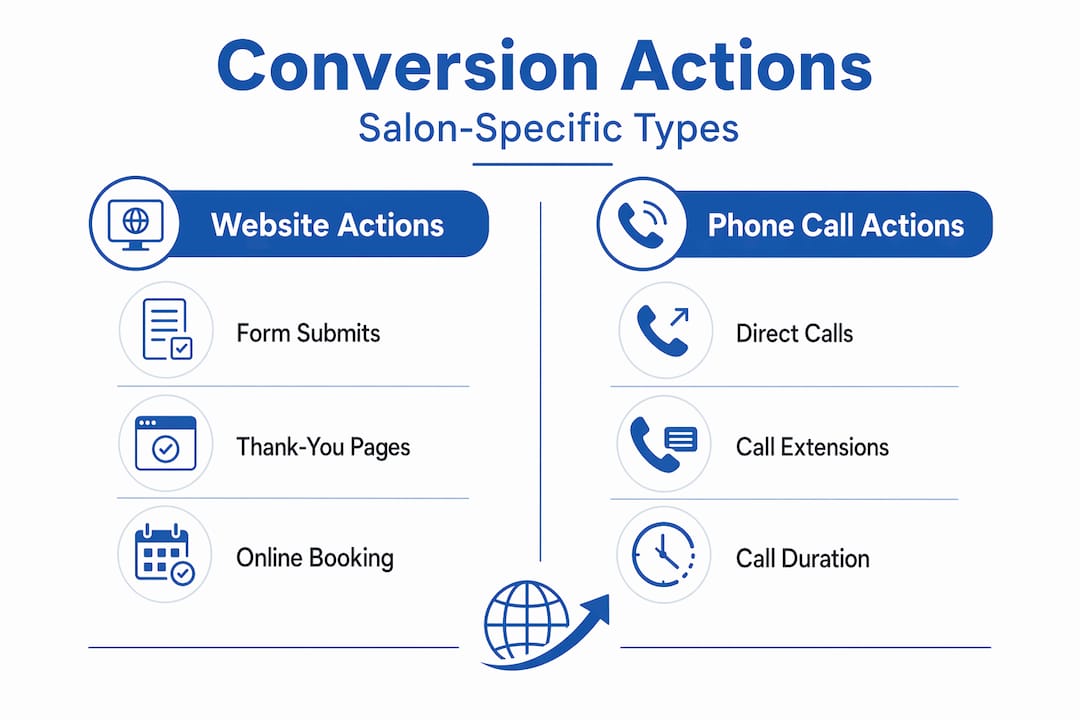
Google Ads conversion types commonly include website actions and phone call actions, each tracked through different methods. Here is how they break down for salons and clinics:
| Conversion type | What it tracks | Best use case for salons |
|---|---|---|
| Website form submission | Booking or inquiry form completions | Primary conversion for most salons |
| Phone call from ad | Calls made directly from the ad | Ideal for clinics where clients prefer to call |
| Phone call from website | Calls made after clicking through to your site | Captures late-stage, high-intent leads |
| Page view (thank-you page) | Loads of a confirmation or thank-you page | Confirms a completed booking form |
| Newsletter sign-up | Email opt-in form completions | Secondary action for nurture campaigns |
Key points to understand about each type:
- Website form submissions are tracked by placing a tag on the confirmation or thank-you page that loads after a form is completed. This is the most reliable method for tracking appointment requests.
- Phone call conversions require a Google forwarding number or a tag on your phone number link. Calls must meet a minimum duration you set (30 seconds is a common threshold) to count as a conversion.
- Page view conversions are straightforward but require that your thank-you page only loads when a form is genuinely completed, not on every visit.
Pro Tip: Set your phone call minimum duration to at least 45 seconds for aesthetic clinics. A 10-second call is rarely a genuine inquiry. A 45-second call almost always is.
For salons serious about measuring every touchpoint, Growth Reach Marketing’s conversion tracking services cover setup across all these action types.
Setting primary vs secondary conversion actions and counting options
Knowing what conversion types exist is only half the picture. How you prioritize and count those conversions shapes how Google’s algorithm behaves, which directly affects how your budget gets spent.
Primary conversion actions appear in the “Conversions” column and drive bidding optimization, while secondary actions are for observation only and show up in “All conversions.” This distinction is critical. If you mark a newsletter sign-up as a primary conversion alongside your booking form submission, Google treats both as equally important goals. It may then push your ads toward people who sign up for emails but never book an appointment.
Primary vs secondary: how to decide
- Set booking form completions and qualified phone calls as primary actions.
- Set newsletter sign-ups, page views, and social profile visits as secondary actions.
- Never set an action as primary unless it directly represents a real business outcome for your clinic.
Counting options add another layer of control. You can choose “Every conversion” or “One conversion” per ad click, and the right choice depends on what you are tracking.
When to use each counting option:
- Use Every conversion for phone calls, since a client calling twice represents two genuine interactions worth knowing about.
- Use One conversion for booking form submissions, since a single client submitting the same form twice is still one lead, not two.
- Default to One conversion for any lead-generation action to avoid inflating your conversion count and misleading your reporting.
Pro Tip: Inflated conversion counts feel good in reports but destroy bidding accuracy. If Google thinks you are generating 40 leads per week when you are actually generating 20, it will set bids based on false efficiency. Always audit your counts monthly.
For salons using Smart Bidding, clean primary conversion data is the single most important input. Learn more about Google Ads optimization strategies to see how conversion data feeds into bidding decisions.
Implementing and organizing conversion actions for your salon’s Google Ads campaigns
Setting up conversion actions correctly is where many salon owners either get it right or quietly break their entire tracking setup without realizing it. Here is a clear path through the process.
Google Ads requires at least one conversion action to enable tracking, and each type requires a specific setup method. Follow these steps to build a clean, reliable tracking foundation:
- Create your conversion actions in Google Ads. Go to Goals, then Conversions, then create a new action. Name it clearly, for example “Booking Form Submission” not “Conversion 1.”
- Choose the right tracking method. For thank-you page loads, use URL-based tracking. For button clicks or form submissions without a dedicated confirmation page, use event-based tracking through Google Tag Manager.
- Install the global site tag (or connect Google Tag Manager) on your website. Your web developer needs to do this correctly. A misplaced tag is one of the most common sources of bad data.
- Place the conversion event snippet only on the page or event that fires once per completed action. For booking forms, this means the confirmation page, not the form page itself.
- Test every tag before running campaigns. Use Google Tag Assistant or the built-in conversion tag diagnostics in Google Ads to confirm tags are firing correctly.
- Organize conversion actions into goals. Group related actions (for example, all appointment-related conversions) under a single goal to simplify reporting and bidding.
| Setup step | Tracking method | Who handles it |
|---|---|---|
| Thank-you page load | URL-based tag | Web developer |
| Button click tracking | Event tag via Tag Manager | Web developer or marketer |
| Phone call from ad | Google forwarding number | Set up in Google Ads |
| Phone call from website | Website call conversion tag | Web developer |
Pro Tip: Never let your confirmation page be accessible via direct URL without a form submission. If clients can reach it by refreshing or bookmarking, your conversion count will be inflated. Use a redirect or session-based trigger to control access.
For a detailed walkthrough, the Growth Reach Marketing conversion tracking setup guide walks through implementation for salon and clinic websites specifically.
Common pitfalls and expert tips for optimizing conversion tracking in salons
Setup is the beginning, not the end. Measuring conversions in Google Ads accurately over time requires regular attention and a few hard-won habits.
Duplicate or overly broad primary conversion actions are the most damaging tracking error for lead-generation businesses, causing signal dilution that sends Google’s optimization in the wrong direction. Here is what to watch for:
- Tracking multiple near-booking steps as primary. If you mark “visited pricing page,” “opened contact form,” and “submitted booking form” all as primary conversions, Google cannot tell which one actually matters. Keep primary actions to one or two genuine outcomes.
- Confirmation pages that load on refresh. If a client refreshes their thank-you page, you may count two conversions for one booking. Use a redirect or a session check to prevent this.
- Tags firing on the wrong page. A tag placed on the contact page instead of the confirmation page counts every visit as a conversion. Audit your tag placement every quarter.
- Ignoring tag errors in Google Ads diagnostics. Google flags inactive or misfiring tags in the Conversions dashboard. Check this regularly and fix errors with your web team promptly.
- Never reviewing conversion goals as your business evolves. A clinic that added laser treatments in 2025 may need a separate conversion action for laser consultation requests, distinct from general booking forms.
“Your conversion tracking setup is only as good as your last audit. Set a quarterly calendar reminder to review every active conversion action in your account.”
Pro Tip: Use secondary conversion actions to track engagement signals like time on site or scroll depth without letting those signals influence your bidding. This gives you useful behavioral data without polluting your primary optimization signal.
For a full breakdown of what to avoid, the Google Ads common mistakes resource from Growth Reach Marketing covers the errors that consistently hurt salon campaigns.
Why most Google Ads tracking advice misses the mark for salons and clinics
Here is something most guides will not tell you: the advice to “track everything” is actively harmful for salons and aesthetic clinics.
Generic Google Ads guides are written for e-commerce brands where every click toward a purchase is worth measuring. But a salon’s customer journey is different. A new client might see your ad, visit your site, read your service menu, leave, come back three days later, and then call to book. That journey involves multiple touchpoints, and if you track every one of them as a primary conversion, Google optimizes toward low-intent actions instead of real booking outcomes.
The salons and clinics that see the strongest results from Google Ads are the ones with the simplest, cleanest conversion setups. One primary action. One clear signal. Everything else in secondary.
This is counterintuitive because more data feels like better data. But in Google Ads, signal quality beats signal quantity every time. When you give Google a single, clear primary conversion action tied to an actual appointment or qualified inquiry, Smart Bidding has exactly what it needs to find more people like your best clients.
The other thing most guides ignore is the front-desk reality of aesthetic clinics. A phone call that lasts 90 seconds and ends with a booking is a fundamentally different event than a 15-second call from someone who dialed the wrong number. Your conversion tracking should reflect that distinction. Set minimum call durations. Use call recording where legally permitted to validate lead quality. And revisit your conversion strategy insights every time you launch a new service or promotion.
Simplified, intentional conversion tracking is not a shortcut. It is the most sophisticated approach available to salon and clinic owners who want their ad spend to actually grow their business.
How Growth Reach Marketing helps salons master Google Ads conversion tracking
Getting conversion tracking right is genuinely complex, and most salon owners are already managing a full business without adding tag management to their plate.
Growth Reach Marketing works exclusively with salons, aesthetic clinics, and beauty businesses to build Google Ads setups that actually track what matters. We define the right primary conversion actions for your specific booking model, audit existing setups to remove signal noise, and implement clean tagging through your website so your data is reliable from day one. Our Google Ads conversion optimization services are built around the real customer journeys your clients take, not generic e-commerce frameworks. Whether you are starting from scratch or fixing a broken setup, our team handles the technical side so your campaigns can focus on filling your appointment book. Visit Growth Reach Marketing to see how we support salons at every stage of their Google Ads growth, or explore our conversion tracking setup solutions to get started.
Frequently asked questions
What exactly counts as a conversion action in Google Ads for my salon?
A conversion action is a specific customer action you define as valuable, such as submitting a booking form or calling your business, which Google tracks to report how well your ads are performing.
How do I choose which conversion actions to set as primary in Google Ads?
Select the actions that directly represent your main business goals, like a confirmed appointment booking form submission, and set your true business outcome as primary so Google’s bidding optimizes toward those results rather than supportive engagement steps.
Can I track multiple conversion actions for different outcomes in my salon ads?
Yes. If you want to track more than one valuable action, you can create multiple conversion actions in the same Google Ads account to capture distinct outcomes like form submissions and phone calls separately.
What is the difference between “Every conversion” and “One conversion” counting options?
“Every conversion” counts all conversions after an ad click, which works well for phone calls, while “One conversion” counts only one per click, making it the better choice for tracking unique booking form leads.
Why is proper setup of conversion tags important for accurate Google Ads tracking?
Misplacing tag snippets or firing them on wrong events causes conversions to appear either lower or higher than they actually are, which misleads Google’s bidding algorithm and wastes your ad budget on the wrong audience.